Buy aefca.eu ?
We are moving the project
aefca.eu .
Are you interested in purchasing the domain
aefca.eu ?
domain@kv-gmbh.de · 0541-91531010
Buy aefca.eu ?
How do I obtain an Excel spreadsheet for account management?
To obtain an Excel spreadsheet for account management, you can either create one from scratch by opening Excel and setting up the necessary columns and formulas for tracking your accounts, or you can download a pre-made account management template from websites like Microsoft Office Templates or ExcelTemplate.net. These templates often come with pre-designed tables and formulas to help you manage your accounts more efficiently. Once you have the spreadsheet set up, you can start inputting your account information and using the various features of Excel to analyze and track your accounts effectively. **
How can I create a chart for cost development in Excel?
To create a chart for cost development in Excel, you can follow these steps: 1. Input your cost data into an Excel spreadsheet, with the dates or time periods in one column and the corresponding costs in another column. 2. Select the data you want to include in the chart. 3. Go to the "Insert" tab and choose the type of chart you want to create, such as a line chart or a bar chart. 4. Customize the chart by adding axis labels, a title, and any other necessary elements to make it clear and easy to understand. 5. Once the chart is created, you can further customize it by changing the colors, styles, and other visual elements to best represent the cost development over time. **
Similar search terms for Excel
Top-Angebote
Products related to Excel:
-
Microsoft Excel 2021 - Lifetime LicenceMicrosoft Excel 2021 It is the ideal software for data analysis, financial management, professional spreadsheets and business use. The 2021 version offers improved tools, new features and greater speed. Main features: New calculation functions (LET, XLOOKUP, etc.) More modern charts and advanced dashboards Simplified collaboration and sharing Optimised for large datasets A clean and professional interface Ideal for businesses, accountants, engineers, students and anyone who works with numbers.8,79 £*Shipping: 0,00 £Secure redirect to the provider
-
David A. Williams Excel VBA and Macros 2 Books Collection Set For Step-by-Step Excel Programming - Non Fiction - PaperbackTitles in This Set:. Excel VBA: Learn VBA with Excel. Excel Macros Mastery: Automate Your Spreadsheets Condition: BRAND NEW. Format: Paperback. ISBN: Overview:. Unlock the power of automation in Excel with this carefully designed two-book collection. Built for practical learners, the bundle guides you from the fundamentals of macros and the Visual Basic for Applications (VBA) language to hands-on techniques that save time, reduce errors, and turbocharge your productivity. The first book introduces core concepts—recording macros, editing simple scripts, and applying automation to everyday tasks—so you can start seeing immediate results. The second book dives deeper into VBA programming: how to structure projects, manage variables and data, implement robust error handling, and create user-friendly forms to streamline data entry. Together, these titles form a cohesive learning path that combines ready-to-run code with clear explanations, enabling you to practice along and build confidence as you go. Whether you’re a student, analyst, or professional looking to optimize workflows, this collection makes Excel automation approachable, reliable, and achievable. What Makes This Collection Special:. This set stands out because it pairs two complementary strands of Excel automation. You get practical, immediately usable macros that solve real-world problems, alongside a solid foundation in VBA programming that empowers you to customize and extend those solutions. The journey from macro basics to more advanced scripting is deliberately paced, so you can master one step at a time and revisit concepts with increasing complexity. The inclusion of sample code and guided exercises means you can learn by doing, not just reading. Designed for quick wins and lasting skills, the collection is also a thoughtful gift for colleagues, graduates, or anyone who spends long hours in spreadsheets and wants to reclaim that time for more impactful work. Books Included in This Collection:. Excel VBA: Learn VBA with Excel. This title introduces the essentials of VBA within the familiar Excel environment. Readers discover how to record actions, write straightforward loops, and manipulate worksheets with code. The book emphasizes practical, repeatable templates you can adapt to your own projects, plus step-by-step guidance on debugging and refining your scripts. With approachable explanations and hands-on exercises, it’s ideal for beginners who want to automate routine tasks and build a solid programming habit without being overwhelmed by jargon. Excel Macros Mastery: Automate Your Spreadsheets. This second book expands your toolkit with more robust VBA techniques and macro-automation strategies. Topics include organizing code for scalability, handling errors gracefully, working with arrays and objects, and building user forms to collect data efficiently. Real-world examples—from budget trackers to data dashboards—demonstrate how disciplined coding translates into tangible time...29,97 £*Shipping: 2,99 £Secure redirect to the provider
-
Microsoft Excel + Word 2024 - Lifetime Licence for WindowsGet the essential tools for work, study and everyday productivity with Microsoft Excel and Microsoft Word – Lifetime Licence for Windows This bundle gives you two of the world’s most widely used apps, which you only need to activate once and which will remain available on your Windows device for life. ✔ Microsoft Word The most popular and comprehensive word processing software: create professional documents, letters, reports, CVs, dissertations and much more. It includes ready-to-use templates, advanced formatting tools and compatibility with all major file formats. ✔ Microsoft Excel The undisputed leader in spreadsheets: manage data, create tables, formulas and charts, and automate tasks with smart functions. Perfect for businesses, students, accounting and data analysis. ✨ Key features Lifetime licence – Pay once, use it for ever. Quick activation with the original code and installation guide included. Compatible with Windows 10 and Windows 11. Ideal for personal, professional, educational and business use. Security updates provided by Microsoft. 📦 What you’ll receive Genuine activation code. Official software downloads. Step-by-step guide in Italian. Dedicated after-sales support at softastrd.com.4,22 £*Shipping: 0,00 £Secure redirect to the provider
-
Revlon Professional Revlonissimo Color Excel Plus Energizer 15 VolHealth and Beauty Coloration Revlon Professional Revlonissimo Color Excel Plus Energizer 15 Vol Plus Energizer 15VOL (4.5%). The best ally to create more vibrant tones and fashion effects. Lightens between 1 and 1 shades. Optimal gray coverage. For whom? * Stylists who want customizable hair color for: – Achieve vibrant tones and trendy effects. (4.5%) Key benefits: - Easy to mix and apply coloration with a specific level of bleaching results. - Customizable , reliable and uniform coloring. Benefits: Creamy and homogeneous Energizers: - Easy to mix. - Creamier texture for easy color application. - Adequate consistency for application with a brush or bottle. - Easy to rinse. Stabilized Hydrogen Peroxide: - Always guarantees the same level of coloration and discoloration. How to use it? 1) Mixing ratio: - Tone on Tone + Energizer 1:2. 2) Application: - Apply Color Excel by Revlonissimo™ mixture to dry, unwashed hair. - Do not use on sensitized hair. 3) Processing time: Tone On Tone: - Natural hair: 20 min. - Gray hair: 30 min. - Sensitive scalp: 5-15 min. - Retouch: growth area (15-20 min.), refresh larogs (5 min.). 4) Final steps: - Emulsify and rinse well. - Wash and treat the hair with Magnet products and comb.6,31 £*Shipping: 3,99 £Secure redirect to the provider


-
What are the costs for personal development coaching?
The costs for personal development coaching can vary widely depending on the coach's experience, expertise, and location. Some coaches may charge by the hour, with rates typically ranging from $50 to $300 per hour. Others may offer package deals or monthly retainer fees. Additionally, some coaches may offer group coaching sessions at a lower cost than individual sessions. It's important to research and compare different coaches to find one that fits your budget and needs. **
-
How can I open an Excel file with Excel 2010 instead of Excel 2016?
To open an Excel file with Excel 2010 instead of Excel 2016, you can right-click on the Excel file you want to open. Then, select 'Open with' and choose Excel 2010 from the list of programs. If Excel 2010 is not listed, you can click on 'Choose another app' and navigate to the location where Excel 2010 is installed on your computer. Select Excel 2010 and check the box that says 'Always use this app to open .xlsx files' to ensure that Excel 2010 is used to open Excel files by default. **
-
How can I open an Excel file with Excel 2010 and not with Excel 2016?
To open an Excel file with Excel 2010 instead of Excel 2016, you can right-click on the Excel file you want to open. Then, select "Open with" and choose Excel 2010 from the list of programs. If Excel 2010 is not listed, you may need to browse for the program in your computer's file directory. Once you have selected Excel 2010, the file should open in that version of Excel. **
-
Is a good general education necessary for training as a management assistant for office management?
Yes, a good general education is necessary for training as a management assistant for office management. A strong foundation in subjects like math, English, and computer skills is essential for success in this role. Additionally, a well-rounded education can help develop critical thinking, problem-solving, and communication skills, which are crucial for a management assistant. Overall, a good general education provides the necessary knowledge and skills to excel in the field of office management. **


Is a good general education required for training as a management assistant for office management?
Yes, a good general education is typically required for training as a management assistant for office management. This is because the role involves a wide range of tasks that require strong communication, organizational, and problem-solving skills, which are often developed through a solid educational foundation. Additionally, a good general education can help individuals understand the business environment, industry trends, and technology that are essential for success in this role. Overall, a strong educational background can provide the necessary knowledge and skills to excel as a management assistant for office management. **
Is there a free inventory management system for beginners that is not Excel?
Yes, there are several free inventory management systems available for beginners that are not Excel. Some popular options include Zoho Inventory, inFlow Inventory, and ABC Inventory. These systems offer basic inventory management features such as tracking stock levels, managing orders, and generating reports, making them suitable for small businesses and beginners. Additionally, they often have user-friendly interfaces and provide tutorials and customer support to help beginners get started with managing their inventory effectively. **
Top-Angebote
Products related to Excel:
-
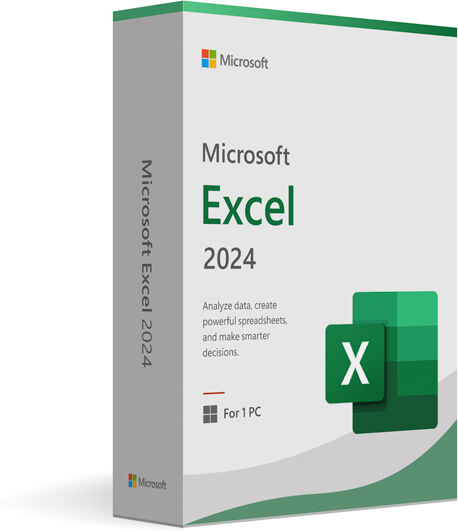
Microsoft Excel 2024 for WindowsMicrosoft Excel 2024 for Windows is the latest iteration of the renowned spreadsheet software trusted by millions across the UK for personal, educational, and professional use. Designed specifically for Windows operating systems, this version maintains the familiar interface while incorporating enhanced features that streamline your workflow and boost productivity. Whether you are managing complex financial models, analysing data trends, or simply organising your daily tasks, Excel 2024 offers a versatile environment tailored to meet diverse needs. It supports a comprehensive range of functions and formulas, allowing you to perform calculations with precision and ease. The improved calculation engine ensures faster processing, even when dealing with large datasets, helping you save valuable time. One of the standout enhancements in Excel 2024 is the upgraded data visualisation tools. New chart types and intuitive formatting options enable you to present your information clearly and professionally. Creating dashboards or reports to share insights with colleagues or clients is now more straightforward, with visually appealing templates and customisation capabilities. Collaboration is also at the heart of this version. Excel 2024 integrates seamlessly with Microsoft's cloud services, making it easier than ever to work alongside your team in real time. You can share your workbooks securely, track changes, and combine inputs without confusion or data loss, all within the familiar Excel environment. The software also includes smart features powered by artificial intelligence, such as predictive suggestions and error checking, which aid in reducing mistakes and improving accuracy. Additionally, the enhanced accessibility tools ensure that Excel remains usable for people of all abilities, supporting keyboard navigation and screen readers. Installation and activation are straightforward, allowing you to get started quickly on your Windows PC. With Microsoft Excel 2024, you gain access to a robust, industry-standard spreadsheet program that continues to set the benchmark for data organisation and analysis in the UK market. For professionals in finance, accounting, marketing, education, and beyond, Excel 2024 remains an indispensable tool. Its compatibility with previous Excel files ensures you can easily open, edit, and save workbooks without compatibility issues. Moreover, integration with other Microsoft Office applications allows for efficient workflows when creating complex documents or presentations. In summary, Microsoft Excel 2024 for Windows combines familiar ease of use with modern enhancements designed to optimise your productivity. Its powerful features, collaborative tools, and improved data visualisation capabilities make it a valuable addition for anyone requiring reliable spreadsheet software in the UK. Whether for home use or enterprise environments, Excel 2024 provides a dependable platform for all your data management needs.99,99 £*Shipping: 0,00 £Secure redirect to the provider
-
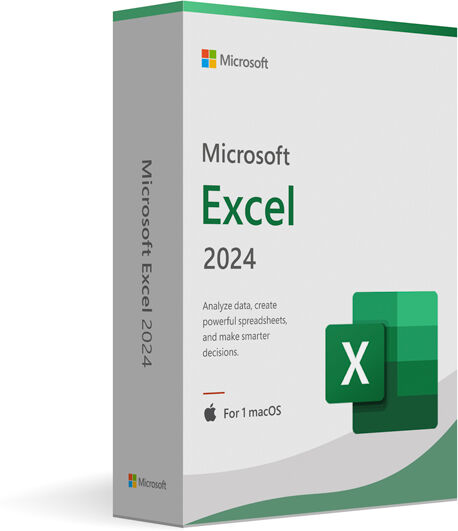
Microsoft Excel 2024 for macOSMicrosoft Excel 2024 for macOS offers a powerful and versatile spreadsheet solution tailored specifically for Mac users. With its updated features and seamless integration into the Apple ecosystem, this version of Excel is designed to enhance productivity whether you're managing complex data, performing financial analysis, or organising your day-to-day information. Built to leverage the capabilities of macOS, Excel 2024 delivers a smooth and intuitive experience. The interface is optimised for Mac's Retina displays, ensuring crisp visuals and easy navigation. Users will appreciate the familiar ribbon menu, refined for macOS conventions, enabling quick access to a wide array of data tools, formulas, and formatting options. This edition of Excel supports extensive data manipulation, including advanced charting features that help visualise trends and insights clearly. Whether you're creating pivot tables, employing functions for statistical analysis, or automating tasks with macros, Excel 2024 offers robust tools to help streamline your workflow. Collaboration is simplified with improved sharing options. Workbooks can be shared securely with colleagues and collaborators, with real-time co-authoring capabilities that keep everyone on the same page. Changes are tracked efficiently, and version history allows you to revisit previous iterations of your work. Integration with other Microsoft 365 applications is seamless, making it easier to combine data from Word documents or PowerPoint presentations. Excel 2024 also supports compatibility with a wide range of file formats, ensuring you can open and save your spreadsheets without hassle. Security features are enhanced to protect your sensitive data. Password protection, data encryption, and compliance with Microsoft’s trusted security standards mean your information stays secure whether stored locally or in the cloud. For Mac users who require a comprehensive spreadsheet program, Microsoft Excel 2024 stands out as a reliable and feature-rich choice. Its combination of powerful functions, polished design, and strong integration with both macOS and Microsoft 365 services makes it suitable for students, professionals, and businesses alike. Experience the efficiency and flexibility of Microsoft Excel 2024 for macOS to manage your data with confidence and precision. Whether handling budgets, datasets, or project plans, this edition equips you with the tools needed for success on your Mac.249,99 £*Shipping: 0,00 £Secure redirect to the provider
-
Microsoft Excel 2021 - Lifetime LicenceMicrosoft Excel 2021 It is the ideal software for data analysis, financial management, professional spreadsheets and business use. The 2021 version offers improved tools, new features and greater speed. Main features: New calculation functions (LET, XLOOKUP, etc.) More modern charts and advanced dashboards Simplified collaboration and sharing Optimised for large datasets A clean and professional interface Ideal for businesses, accountants, engineers, students and anyone who works with numbers.8,79 £*Shipping: 0,00 £Secure redirect to the provider
-
David A. Williams Excel VBA and Macros 2 Books Collection Set For Step-by-Step Excel Programming - Non Fiction - PaperbackTitles in This Set:. Excel VBA: Learn VBA with Excel. Excel Macros Mastery: Automate Your Spreadsheets Condition: BRAND NEW. Format: Paperback. ISBN: Overview:. Unlock the power of automation in Excel with this carefully designed two-book collection. Built for practical learners, the bundle guides you from the fundamentals of macros and the Visual Basic for Applications (VBA) language to hands-on techniques that save time, reduce errors, and turbocharge your productivity. The first book introduces core concepts—recording macros, editing simple scripts, and applying automation to everyday tasks—so you can start seeing immediate results. The second book dives deeper into VBA programming: how to structure projects, manage variables and data, implement robust error handling, and create user-friendly forms to streamline data entry. Together, these titles form a cohesive learning path that combines ready-to-run code with clear explanations, enabling you to practice along and build confidence as you go. Whether you’re a student, analyst, or professional looking to optimize workflows, this collection makes Excel automation approachable, reliable, and achievable. What Makes This Collection Special:. This set stands out because it pairs two complementary strands of Excel automation. You get practical, immediately usable macros that solve real-world problems, alongside a solid foundation in VBA programming that empowers you to customize and extend those solutions. The journey from macro basics to more advanced scripting is deliberately paced, so you can master one step at a time and revisit concepts with increasing complexity. The inclusion of sample code and guided exercises means you can learn by doing, not just reading. Designed for quick wins and lasting skills, the collection is also a thoughtful gift for colleagues, graduates, or anyone who spends long hours in spreadsheets and wants to reclaim that time for more impactful work. Books Included in This Collection:. Excel VBA: Learn VBA with Excel. This title introduces the essentials of VBA within the familiar Excel environment. Readers discover how to record actions, write straightforward loops, and manipulate worksheets with code. The book emphasizes practical, repeatable templates you can adapt to your own projects, plus step-by-step guidance on debugging and refining your scripts. With approachable explanations and hands-on exercises, it’s ideal for beginners who want to automate routine tasks and build a solid programming habit without being overwhelmed by jargon. Excel Macros Mastery: Automate Your Spreadsheets. This second book expands your toolkit with more robust VBA techniques and macro-automation strategies. Topics include organizing code for scalability, handling errors gracefully, working with arrays and objects, and building user forms to collect data efficiently. Real-world examples—from budget trackers to data dashboards—demonstrate how disciplined coding translates into tangible time...29,97 £*Shipping: 2,99 £Secure redirect to the provider
-
How do I obtain an Excel spreadsheet for account management?
To obtain an Excel spreadsheet for account management, you can either create one from scratch by opening Excel and setting up the necessary columns and formulas for tracking your accounts, or you can download a pre-made account management template from websites like Microsoft Office Templates or ExcelTemplate.net. These templates often come with pre-designed tables and formulas to help you manage your accounts more efficiently. Once you have the spreadsheet set up, you can start inputting your account information and using the various features of Excel to analyze and track your accounts effectively. **
-
How can I create a chart for cost development in Excel?
To create a chart for cost development in Excel, you can follow these steps: 1. Input your cost data into an Excel spreadsheet, with the dates or time periods in one column and the corresponding costs in another column. 2. Select the data you want to include in the chart. 3. Go to the "Insert" tab and choose the type of chart you want to create, such as a line chart or a bar chart. 4. Customize the chart by adding axis labels, a title, and any other necessary elements to make it clear and easy to understand. 5. Once the chart is created, you can further customize it by changing the colors, styles, and other visual elements to best represent the cost development over time. **
-
What are the costs for personal development coaching?
The costs for personal development coaching can vary widely depending on the coach's experience, expertise, and location. Some coaches may charge by the hour, with rates typically ranging from $50 to $300 per hour. Others may offer package deals or monthly retainer fees. Additionally, some coaches may offer group coaching sessions at a lower cost than individual sessions. It's important to research and compare different coaches to find one that fits your budget and needs. **
-
How can I open an Excel file with Excel 2010 instead of Excel 2016?
To open an Excel file with Excel 2010 instead of Excel 2016, you can right-click on the Excel file you want to open. Then, select 'Open with' and choose Excel 2010 from the list of programs. If Excel 2010 is not listed, you can click on 'Choose another app' and navigate to the location where Excel 2010 is installed on your computer. Select Excel 2010 and check the box that says 'Always use this app to open .xlsx files' to ensure that Excel 2010 is used to open Excel files by default. **
Similar search terms for Excel
-
Microsoft Excel + Word 2024 - Lifetime Licence for WindowsGet the essential tools for work, study and everyday productivity with Microsoft Excel and Microsoft Word – Lifetime Licence for Windows This bundle gives you two of the world’s most widely used apps, which you only need to activate once and which will remain available on your Windows device for life. ✔ Microsoft Word The most popular and comprehensive word processing software: create professional documents, letters, reports, CVs, dissertations and much more. It includes ready-to-use templates, advanced formatting tools and compatibility with all major file formats. ✔ Microsoft Excel The undisputed leader in spreadsheets: manage data, create tables, formulas and charts, and automate tasks with smart functions. Perfect for businesses, students, accounting and data analysis. ✨ Key features Lifetime licence – Pay once, use it for ever. Quick activation with the original code and installation guide included. Compatible with Windows 10 and Windows 11. Ideal for personal, professional, educational and business use. Security updates provided by Microsoft. 📦 What you’ll receive Genuine activation code. Official software downloads. Step-by-step guide in Italian. Dedicated after-sales support at softastrd.com.4,22 £*Shipping: 0,00 £Secure redirect to the provider
-
Revlon Professional Revlonissimo Color Excel Plus Energizer 15 VolHealth and Beauty Coloration Revlon Professional Revlonissimo Color Excel Plus Energizer 15 Vol Plus Energizer 15VOL (4.5%). The best ally to create more vibrant tones and fashion effects. Lightens between 1 and 1 shades. Optimal gray coverage. For whom? * Stylists who want customizable hair color for: – Achieve vibrant tones and trendy effects. (4.5%) Key benefits: - Easy to mix and apply coloration with a specific level of bleaching results. - Customizable , reliable and uniform coloring. Benefits: Creamy and homogeneous Energizers: - Easy to mix. - Creamier texture for easy color application. - Adequate consistency for application with a brush or bottle. - Easy to rinse. Stabilized Hydrogen Peroxide: - Always guarantees the same level of coloration and discoloration. How to use it? 1) Mixing ratio: - Tone on Tone + Energizer 1:2. 2) Application: - Apply Color Excel by Revlonissimo™ mixture to dry, unwashed hair. - Do not use on sensitized hair. 3) Processing time: Tone On Tone: - Natural hair: 20 min. - Gray hair: 30 min. - Sensitive scalp: 5-15 min. - Retouch: growth area (15-20 min.), refresh larogs (5 min.). 4) Final steps: - Emulsify and rinse well. - Wash and treat the hair with Magnet products and comb.6,31 £*Shipping: 3,99 £Secure redirect to the provider
-
ZURU X-Shot Excel Reflex 6 Blaster - Age 8+ - RedPrepare to dominate your opponents with the X-Shot Excel Reflex 6 blaster. This blaster is designed for maximum firepower, allowing you to ambush the competition with a rapid-fire of 6 darts in just seconds thanks to its rotating barrel. The combination of speed and frequency makes this blaster a formidable opponent on the battlefield. Before you unleash a storm of darts, prime and load your blaster, then fire away with precision and power, hitting targets from distances of over 27 meters. With the X-Shot Reflex 6 in your hands, you can improve your chances of winning and finish the battle before your opponents react. The X-Shot Reflex 6 blaster is suitable for ages 8 and above.5,99 £*Shipping: 3,95 £Secure redirect to the provider
-
Revlon Professional Revlonissimo Color Excel Tone On Tone 70 ml 6.21Health and Beauty Coloration Revlon Professional Revlonissimo Color Excel Tone On Tone 70 ml 6.21 What is Revlon Professional Revlonissimo Color Excel Tone On Tone 70 ml? Revlon Professional Revlonissimo Color Excel Tone On Tone 70 ml is a semi-permanent, ammonia-free professional hair color system designed to gently and respectfully add color, shine, and care to hair. Its exclusive Color Excel Gloss technology allows you to intensify, tone, or revive natural or cosmetic color without altering the hair structure, achieving a uniform and luminous finish. It is ideal for those seeking a natural color with vibrant highlights and a silky feel. Benefits Revlonissimo Color Excel Tone On Tone offers multiple advantages for both professional use and demanding users: - Ammonia-free, which guarantees greater care for the hair and scalp. - Provides intense shine and a natural appearance from the first application. - Helps to improve the quality of the hair fiber, leaving hair softer and more manageable. - Ideal for toning highlights, lowlights or color rinses. - Covers up to 70% of gray hair discreetly and naturally. - Formula with conditioning ingredients that respect the health of the hair. - Long-lasting color that fades gradually and evenly. Who is it for? Revlon Professional Revlonissimo Color Excel Tone On Tone 70 ml is designed for people who want to enhance their hair color without compromising its health. It's perfect for: - Those looking for a color bath without harsh effects. - Sensitized, dyed, or chemically treated hair. - People who want to enhance their natural tone or refresh their color between permanent colorings. - Customers with first gray hairs who prefer a soft coverage. - For professional use in beauty salons or advanced users at home. How do I apply it? Applying Revlonissimo Color Excel Tone On Tone is simple and effective if you follow the recommendations: - Mix the product with the corresponding activator according to the manufacturer's instructions. - Apply to dry or slightly damp hair. - Distribute evenly to ensure a homogeneous result. - Leave on for the time indicated according to the desired tone and the condition of the hair. Emulsify with a little water and rinse thoroughly. Product Usage Revlon Professional Revlonissimo Color Excel Tone On Tone 70 ml is mainly used as: - Color bath to intensify or revive tones. - Toner after bleaching or highlighting services. - Shine and color enhancement service between permanent dyes. - A soft, temporary coloring option for subtle changes in appearance. Buy Revlon Professional Revlonissimo Color Excel Tone On Tone 70 ml Buying Revlon Professional Revlonissimo Color Excel Tone On Tone 70 ml means choosing high-quality professional hair color, renowned in the hairdressing industry for its natural results and gentle care for the hair. This product is ideal for those seeking the perfect balance of color, care, and shine. Incorporate it into your coloring routine and enjoy a professional...4,94 £*Shipping: 3,99 £Secure redirect to the provider
-
How can I open an Excel file with Excel 2010 and not with Excel 2016?
To open an Excel file with Excel 2010 instead of Excel 2016, you can right-click on the Excel file you want to open. Then, select "Open with" and choose Excel 2010 from the list of programs. If Excel 2010 is not listed, you may need to browse for the program in your computer's file directory. Once you have selected Excel 2010, the file should open in that version of Excel. **
-
Is a good general education necessary for training as a management assistant for office management?
Yes, a good general education is necessary for training as a management assistant for office management. A strong foundation in subjects like math, English, and computer skills is essential for success in this role. Additionally, a well-rounded education can help develop critical thinking, problem-solving, and communication skills, which are crucial for a management assistant. Overall, a good general education provides the necessary knowledge and skills to excel in the field of office management. **
-
Is a good general education required for training as a management assistant for office management?
Yes, a good general education is typically required for training as a management assistant for office management. This is because the role involves a wide range of tasks that require strong communication, organizational, and problem-solving skills, which are often developed through a solid educational foundation. Additionally, a good general education can help individuals understand the business environment, industry trends, and technology that are essential for success in this role. Overall, a strong educational background can provide the necessary knowledge and skills to excel as a management assistant for office management. **
-
Is there a free inventory management system for beginners that is not Excel?
Yes, there are several free inventory management systems available for beginners that are not Excel. Some popular options include Zoho Inventory, inFlow Inventory, and ABC Inventory. These systems offer basic inventory management features such as tracking stock levels, managing orders, and generating reports, making them suitable for small businesses and beginners. Additionally, they often have user-friendly interfaces and provide tutorials and customer support to help beginners get started with managing their inventory effectively. **
* All prices are inclusive of VAT and, if applicable, plus shipping costs. The offer information is based on the details provided by the respective shop and is updated through automated processes. Real-time updates do not occur, so deviations can occur in individual cases. ** Note: Parts of this content were created by AI.